Users who choose OttoKit

Join 100K+ users saving time with OttoKit
ottokit variables v2
Trusted by Over 4,000,000+ Businesses Worldwide

From the same trusted team that brought you some of the most iconic WordPress products.


Finished migrating my Zapier automations to OttoKit and saving over $4k/year. Zapier was great, but OttoKit does everything my Zaps did at a fraction of the cost.

Reuben Hochstetler

Touchdown Tech

Flexible Data Types & Security

Store anything. Secure everything. Ensure your automations have exactly what they need, from plain text to encrypted credentials, with five distinct variable types.

Flexible data types:
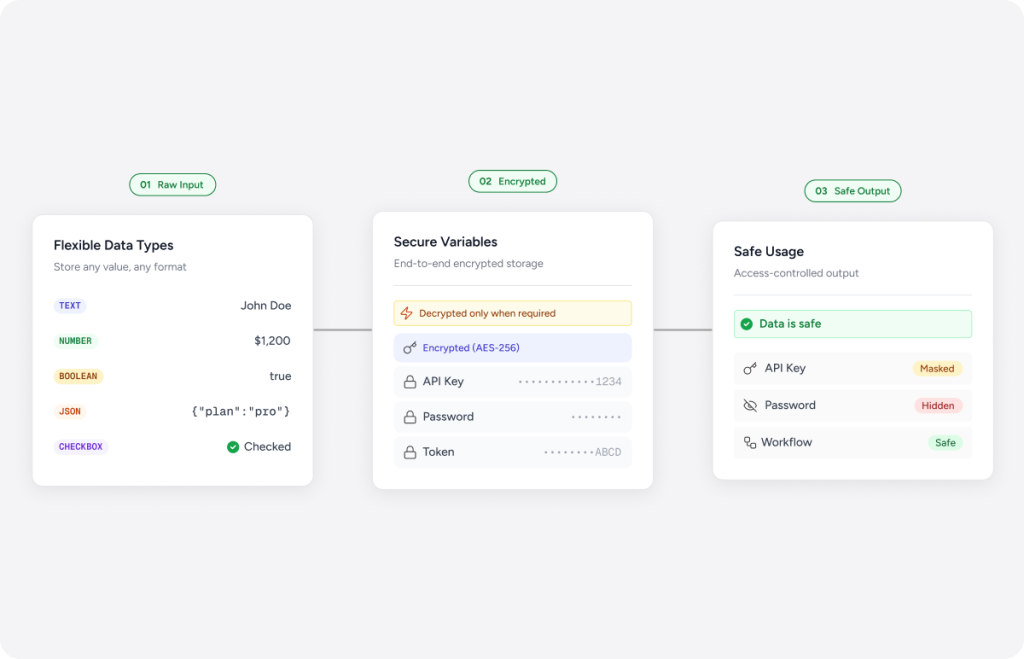
Store plain text strings, numeric values, true/false Booleans, or structured JSON objects.
Secure sensitive data:
Store API keys, passwords and tokens as secret variables. Secret-type variables are encrypted at rest using AES-256 encryption.
Zero data exposure:
Secret values are masked in the UI, showing only the last four characters. They are excluded from activity logs and audit trails, and are decrypted only when required.
data security illustration
system variables illustration

Built-in System Variables

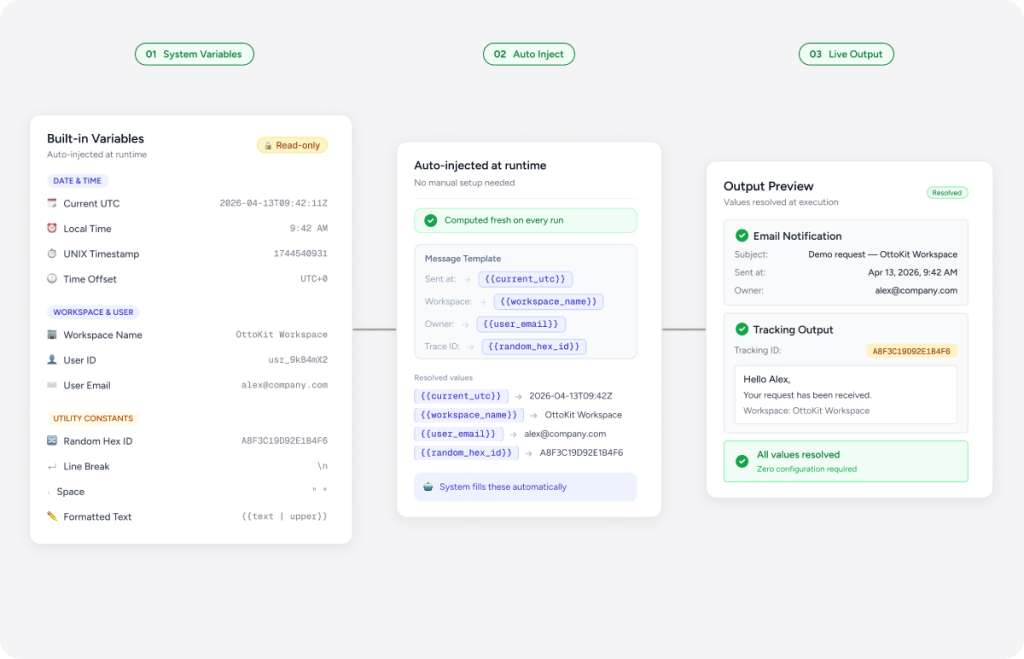
OttoKit provides built-in system variables that are read-only values computed fresh on every workflow run. No setup required.

Dynamic dates and times:
Instantly inject the current UTC datetime, human-readable local times, time offsets, or UNIX timestamps. This allows you to stamp records, name files or set deadlines dynamically.
Workspace & user context:
Automatically pull in the triggering user’s ID, email, or your workspace name. This can be used to personalize notifications with workspace and user info.
Built-in shortcuts for IDs & formatting (Utility constants):
Need a unique tracking code? OttoKit can instantly generate random 16-character hex strings. You also get easy shortcuts to perfectly format your text, like adding line breaks or spaces, so your automated emails and Slack messages always look clean.

Effortless Management

The variables interface is designed to help you quickly organize and deploy your data.
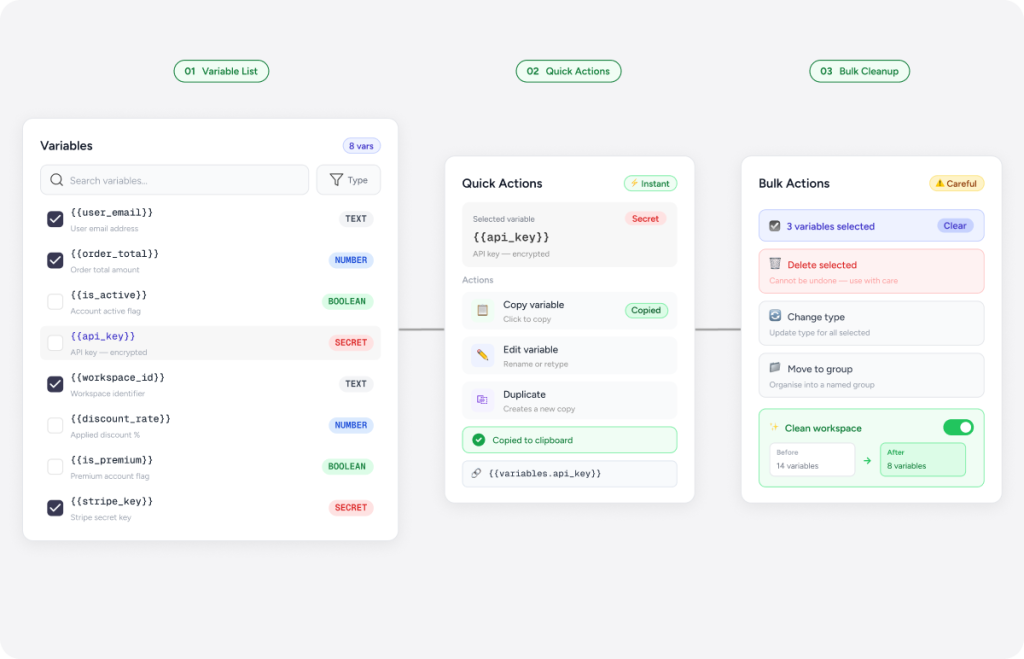
One-click copy:
Copy your variable token to your clipboard with one click, ready to paste into any workflow.
Visual organization:
Utilize color-coded badges for quick visual scanning of variable types. Perform an instant search to find variables by key or description, or sort by key, type or date.
Workspace cleanup:
Utilize the bulk delete feature for easy cleanup. You can also edit values and types at any time.
variable management illustration
advanced variables illustration

Advanced Use Cases

Variables unlock new levels of efficiency and control across the entire OttoKit ecosystem.
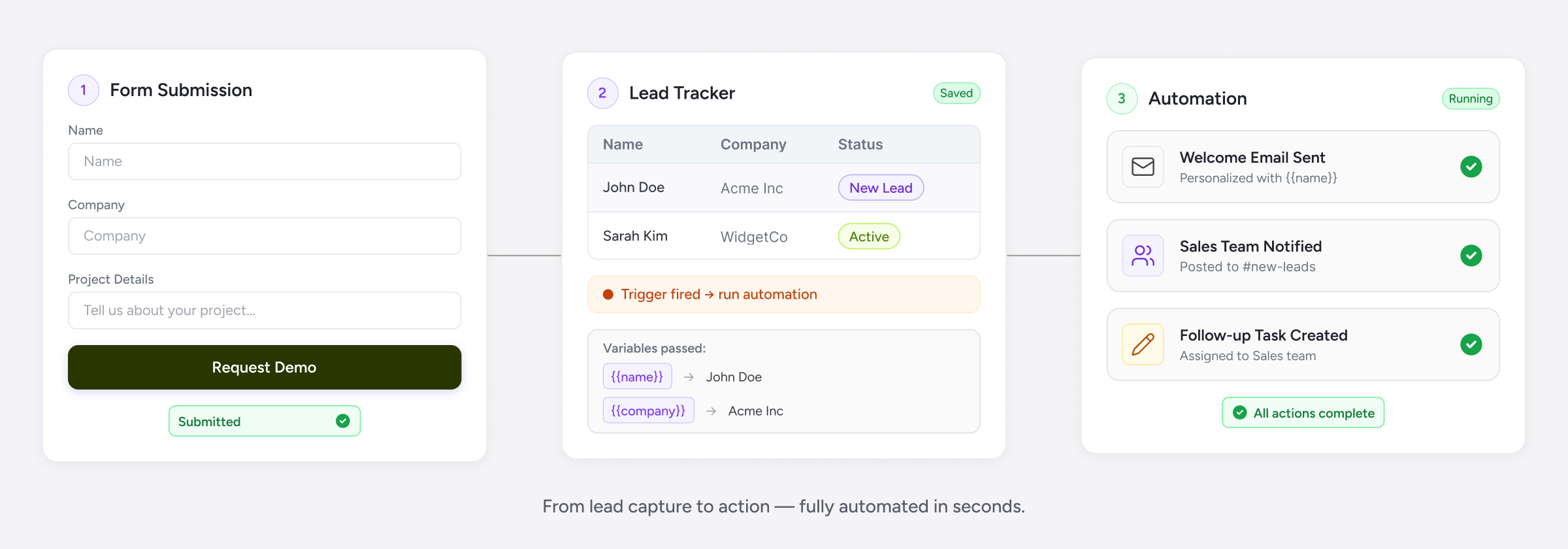
Environment configurations:
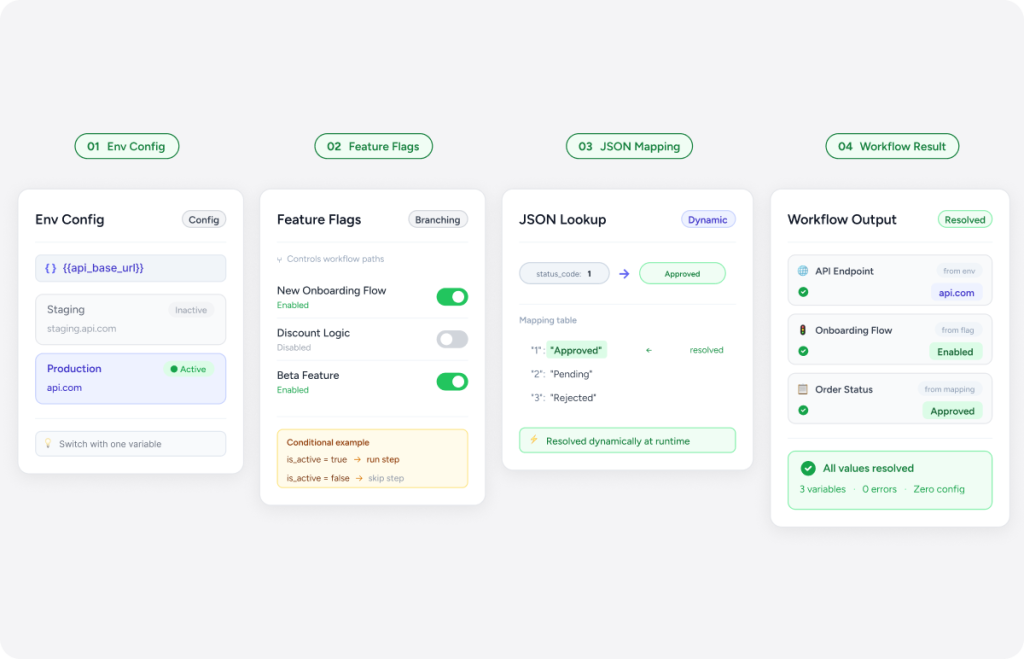
Manage environment-specific config, such as staging versus production URLs and switch them by updating one variable.
Feature flags & thresholds:
Enable or disable workflow branches using feature flags without editing automations. You can also store a number for dynamic thresholds, such as an approval limit.
JSON lookup tables:
Use JSON lookup tables to map form dropdown values to external system IDs, or map status codes to labels. Nested JSON access is also supported, resolving to the nested value.
pipeline flow
Trusted by Thousands of Businesses
Start for Free. No Credit Card Required
24/7 World Class Support Team
Scroll to Top